Enable the Expert mode from the settings header. This will show you all the advanced settings.

Go to Settings → Basic, then open the Advanced section under AI Settings. From there, enable the “Manual Prompts” option.
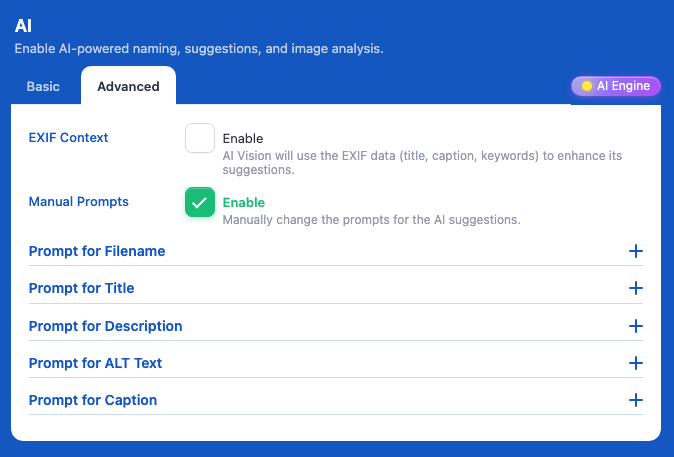
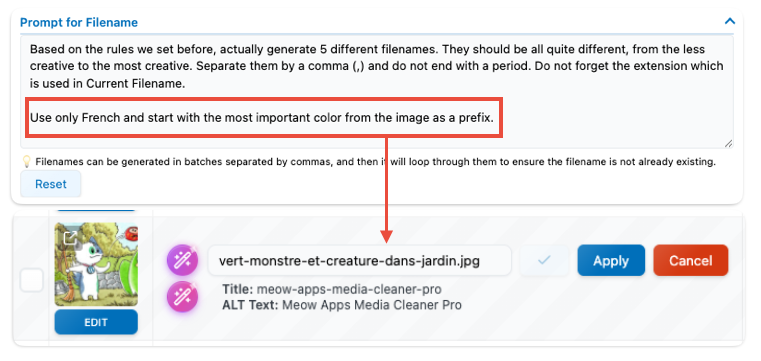
Here, you can change the prompts used by the AI models for each field of your files. This is useful if you want to adjust how the data is interpreted, the language used, or the style of the filenames.
For Developpers
The manual prompts are only one part of the full prompt used to instruct the AI. Most of the context and information are automatically generated by Renamer and are not directly editable.
If you want to intervene at this stage, you can use the mfrh_ai_prompt filter, which provides the following arguments:
$prompt, $metadataType, $entry, $keywords
This allows you to modify the final prompt before it is sent to the AI model.