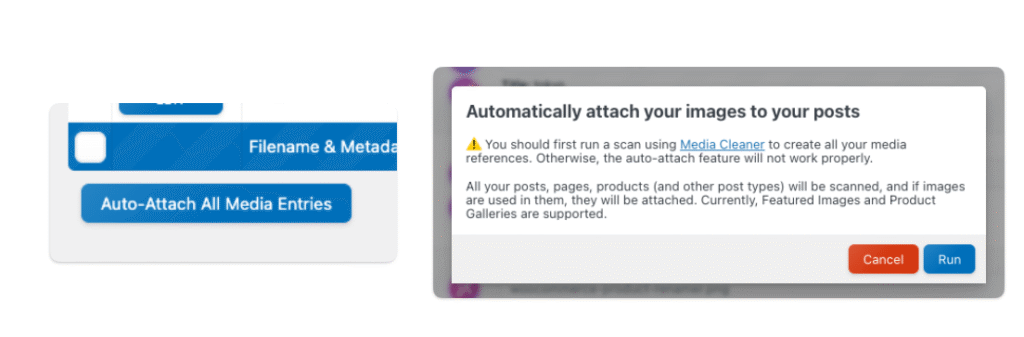
When you first open the Media File Renamer dashboard, you’ll notice a column labeled “Attached Post.” This indicates which post or page each media file is linked to.
This isn’t an issue if your media files aren’t connected to any specific post, unless you’re using a renaming method that depends on this information, such as “Attached Post Title.” In those cases, files without an attached post may not rename, since the method relies on the post title to generate the filename.
To fix this, go to the dashboard, and at the bottom-left corner, you’ll find a button labeled “Auto Attach All Media Entries.” Clicking it will automatically attach your media files to their corresponding posts whenever possible.
Before running this, you’ll see a warning suggesting that you run a Media Cleaner scan first, and that’s strongly recommended. Media Cleaner will analyze all your media and detect where each file is used, providing more accurate and reliable attachment data for the auto-attach process.